A green wall construction detail is not a decorative addition to the drawing set. It is the document where fixing, layer build-up, irrigation and maintenance access come together — and therefore the document that decides whether a living wall still works five years after handover. Whatever the detail leaves out gets improvised on site, and that almost always costs the planting.
Below: what a complete detail contains, how an external application differs from an internal one, and which file formats you can pull straight into your drawing set.
What a green wall detail must contain
- Supporting wall and waterproofing: the existing or new substrate and its protection. The detail must show that no fixing penetrates the waterproofing layer without a sealed interface.
- Sub-frame: the fixing system carrying the saturated self-weight of the system plus wind load, and snow load where the location calls for it. Centres, anchor type and the junction with the façade build-up belong here.
- Ventilated cavity: the air gap separating the supporting wall from the wet side of the system.
- System layer: the build-up itself — for a modular semi-hydroponic system, the textile carrier and substrate pockets; for hydroponic or tray systems, the corresponding components.
- Irrigation and drainage: distribution lines, pressure-compensating emitters, solenoid valves, the controller and the sensors (substrate moisture, pressure, temperature). Drainage belongs in the detail too: free drainage and recirculating irrigation are two different drawings.
- Planting schedule: species by orientation, solar exposure and climate zone. A plant list without orientation is not a specification.
- Maintenance access: inspection points, working platforms or demountable elements, together with the safety provisions that make maintenance possible without risk. This is the item most often missing in practice.
Loadings, fixing centres and fire performance requirements are set by the standards of the country the project is built in, so check the applicable local code rather than carrying a detail across borders unchanged.
Outdoor or indoor: where the detail changes
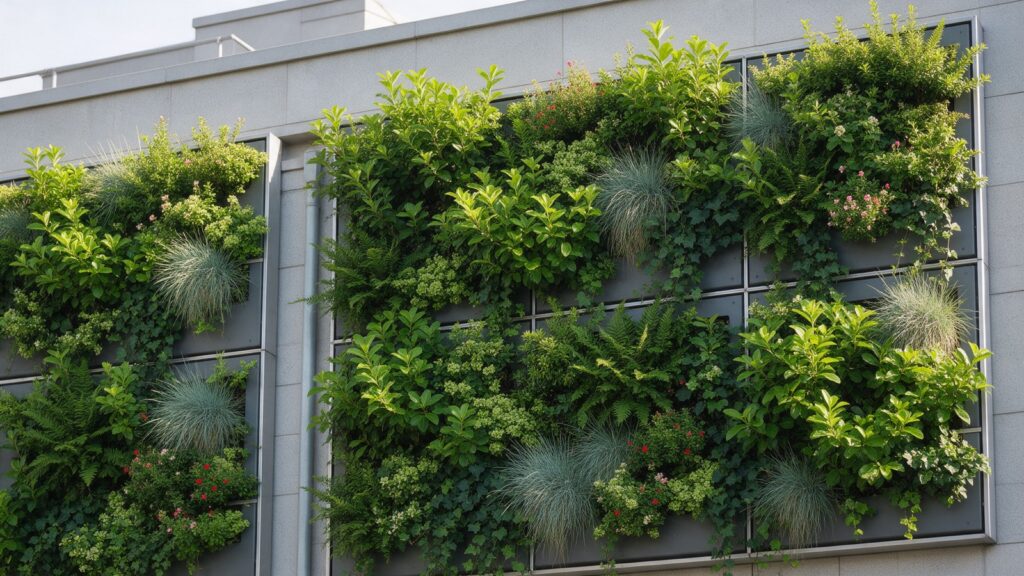
For outdoor living walls the building physics lead: wind load on the sub-frame, frost resistance of the components, penetrations through the waterproofing and ventilation of the cavity. Orientation drives both species selection and irrigation demand, and both belong on the drawing.
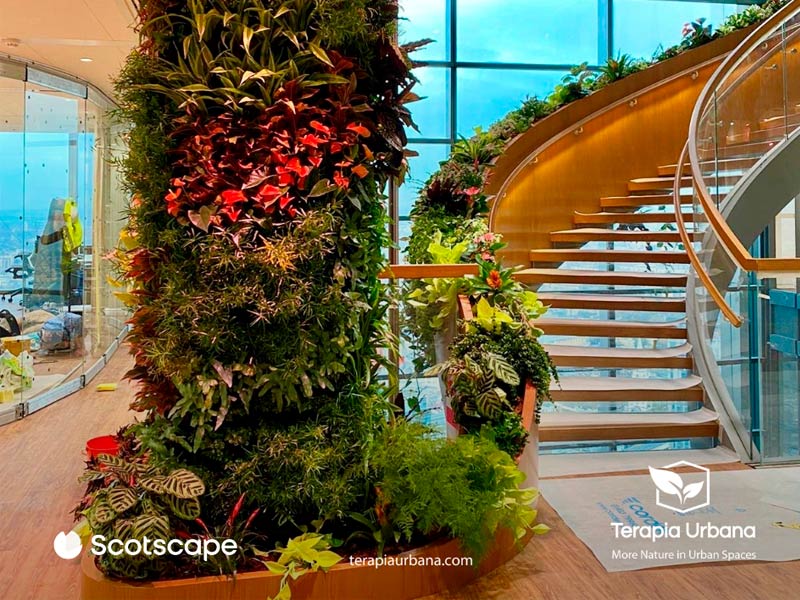
For indoor living walls the emphasis shifts to moisture control, light levels and drainage. Daylight is rarely sufficient indoors, which makes auxiliary lighting part of the design — with the electrical provision shown in the detail. Maintenance access is also tighter indoors and tends to call for demountable panels.
Fytotextile®: how our system is built up
Terapia Urbana works with Fytotextile®, a modular multi-layer system on a textile carrier. The layers, the fixing and the irrigation components are set out in the technical sheets and in the downloadable drawings, so that the detail in your project reflects the actual installation rather than a generic section.
Which file format do you need?
Each format answers a different stage and a different working environment:
- Revit (.RVT): a parametric family with the technical data already in the object. This is the green wall Revit file for BIM modelling, automatic scheduling and coordination with the other disciplines.
- DWG: the two-dimensional construction detail, dimensioned and layered. The green wall DWG is the native Autodesk format and the usual one for the drawing set.
- DXF: the same detail in an open, interoperable format. This is the green wall CAD block to use when the practice does not run Autodesk software: BricsCAD, ZWCAD, QCAD, LibreCAD, Rhino, Vectorworks and ArchiCAD all open it without losing geometry or layer structure. It is also the easiest route into Illustrator or InDesign when laying out a report.
- PDF: the technical sheet for review, approval and issue, with no CAD software required.
Download the living wall drawings and BIM model
Specification and BIM workflow
- BIM objects for Revit: three-dimensional modelling with the technical parameters carried in the object.
- DWG and DXF drawings: construction details and sections, dimensioned and layered, ready for the drawing set.
- NBS documentation: our systems are published with technical documentation on NBS, so UK specifiers can pull the system straight into their specification.
- Planting database: technical sheets per species, ordered by climate, orientation and water demand.
Frequently asked questions
Is there a green wall Revit family available?
Yes. The Fytotextile® system is published as a parametric Revit family with the technical parameters embedded, alongside the DWG and DXF details and the PDF technical sheets. All of them are on the downloads page.
What loads does the sub-frame have to carry?
The saturated self-weight of the system plus wind load, and snow load in locations where it applies. The governing values depend on the height, exposure and orientation of the façade; they are given per system in the technical sheet and fixed for your project through technical consulting.
What is the difference between free drainage and recirculating irrigation?
With free drainage, surplus water leaves the system at the base and discharges to the drainage system. With recirculation it is collected, filtered and pumped round again, which adds a collection tank, pump set and water treatment to the detail. The choice changes the drawing, the water consumption and the maintenance routine alike.
Does the detail have to show maintenance access?
Yes. Without defined access, maintenance becomes expensive or unsafe — and either way it gets deferred. The detail should show how the planting, the emitters and the controller are reached, and what safety provisions that requires.
Can the detail be adapted to my project?
Yes. The published detail is the starting point; for a specific scheme we develop it against the actual façade build-up, orientation and dimensions. Talk to our technical team to get the detail for your project.